NFC Applications: Real-World Uses of Near Field Communication That Actually Matter
NFC can feel like “just a tap.” You touch your phone to a payment terminal, a gate opens at a station, or a product instantly launches a link. But behind that simple gesture is a surprisingly flexible technology that sits at the intersection of convenience, identity, and trust.
This page is a practical guide to NFC applications in everyday life and in business. Instead of listing buzzwords, we’ll focus on what works, why it works, and how to think about building experiences that people will use repeatedly without confusion. Along the way, you’ll see the phrases people search for most—like near field communication applications, uses of near field communication, and specific topics such as nfc in marketing, nfc ticketing, nfc in healthcare, nfc in public transport, and the rapidly growing world of the nfc digital business card and near field communication business cards.
NFC isn’t perfect for every problem. It shines when you need an intentional, close-range interaction that’s quick, predictable, and easy to explain. When you design around those strengths, NFC becomes one of the most human-friendly pieces of modern technology—because it asks people to do something natural: bring two things close together.
What NFC is really good at
Before diving into examples, it helps to see NFC as a “moment” rather than a “network.” Wi‑Fi and cellular connections are designed for distance and ongoing communication. NFC is designed for a short, deliberate moment of exchange.
That moment can accomplish a lot. It can securely initiate a payment. It can hand off a URL to a phone. It can confirm identity. It can pair devices. It can grant access. It can attach information to a physical object without forcing people to scan tiny text or type long codes.
When people ask about uses of near field communication, this is the core idea: NFC makes a physical action become a digital action with almost no friction.
Two major NFC modes you’ll encounter
Most real-world near field communication applications fall into two broad categories.
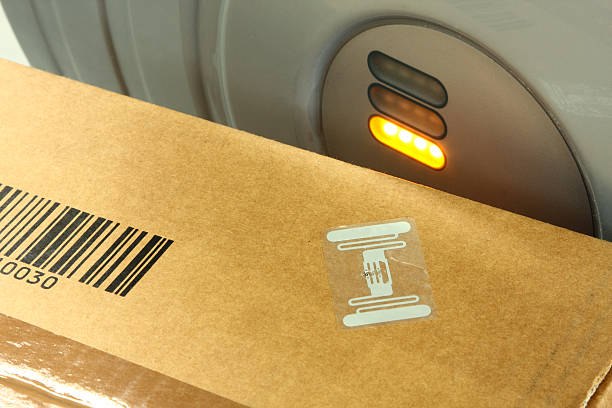
In one category, the NFC tag or card is passive. It holds data, and the phone reads it. This is common in posters, product packaging, stickers, and business cards.
In the other category, both sides are active devices. A phone talks to a terminal, a phone pairs with headphones, or a door reader validates a secure credential. This is common in payments, access control, and ticketing.
You don’t need to memorize standards to benefit from this distinction. It simply helps you decide whether you’re building “tap to read information” or “tap to perform an authenticated action.”
A quick truth about adoption: people don’t adopt technology, they adopt habits
A lot of NFC projects fail not because the technology is hard, but because the habit is unclear. People need to understand three things immediately:
They are allowed to tap.
Where to tap.
What will happen next.
If any one of those is ambiguous, usage drops dramatically.
The best NFC experiences are obvious. The tap zone is visible. The instruction is simple. The result appears instantly and matches what the person expected.
With that foundation, we can explore the most important categories of NFC applications.
NFC Payments and checkout experiences
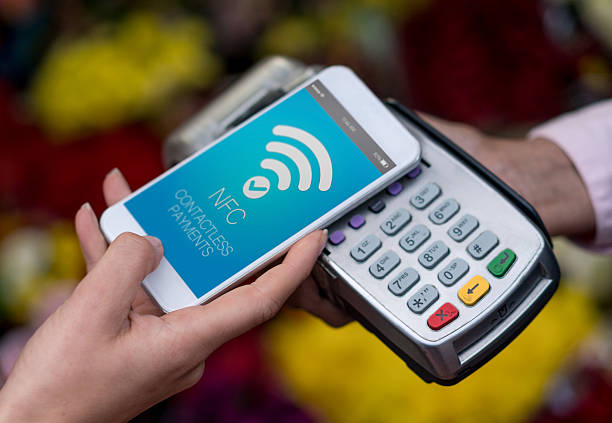
Payment is the most familiar “tap” experience. It’s also a great example of how NFC can be both simple and deeply secure. When you tap your phone or card, the system uses multiple layers—tokenization, device security, network rules, and bank risk scoring—so the transaction can be approved without sharing your real card number in the clear.
From a practical point of view, NFC payments are successful because they solve a stressful moment: checkout. People want checkout to be fast, predictable, and low-effort. NFC delivers that.
If you’re designing anything related to commerce, it’s worth studying the payment flow even if you’re not building payments. It shows you what users tolerate and what they don’t.
People tolerate: a one-second pause, a confirmation beep, a clear success screen.
People don’t tolerate: repeated failures, unclear prompts, or “try again” loops with no explanation.
The lesson: in any NFC experience—marketing, ticketing, healthcare, access control—your tap interaction must be at least as clear as a payment tap.
NFC applications in marketing: from “tap to open” to “tap to trust”
Many organizations talk about nfc in marketing as if it’s only a novelty. But NFC can be much more than “tap to see a website.” Done well, it can become a bridge between physical presence and digital trust.
The highest-value marketing uses are the ones that reduce friction and increase confidence at the same time. For example, NFC on a product package can confirm authenticity. NFC on a poster can deliver a local landing page without scanning a QR code. NFC on a booth can share a brochure instantly without collecting an email on the spot.
The “tap” moment becomes a permissioned handoff. The user chooses to engage, and the brand immediately delivers something useful.
Better than “tap for a link”: tap for context
A common mistake is to use NFC the same way you would use a printed URL. The tap becomes redundant. But NFC can do more:
It can pass a URL that includes language, location, or campaign context.
It can trigger a deep link into an app if the app is installed.
It can provide a contact card, a calendar event, or a coupon code.
It can open a “how to” guide or a support page for the exact product the person is holding.
These aren’t complicated concepts. They’re just a reminder to think in terms of “what is the most helpful next step for the person who is standing here with this object?”
That question is the heart of modern NFC applications in marketing.
A human pattern that works: “Tap. Get value. Optional next step.”
For people to enjoy tapping, the result must feel like a reward, not a trap. If the first screen is a signup wall, many users will never tap again.
A healthier pattern is:
Tap → immediate value (a guide, a benefit, a confirmation, a local resource) → optional step (subscribe, share, register).
This approach creates repeat behavior, because tapping becomes associated with utility.
NFC and measurement: tracking without being creepy
Marketing teams often care about measuring engagement. NFC tags can be part of measurement, but you should be careful about privacy. The right goal is to measure what helps you improve the experience—like how many taps a campaign gets—without trying to identify individuals unnecessarily.
Respectful measurement tends to increase trust, which is especially important when the physical object is in a public space.
NFC ticketing: why it works and what makes it fail
NFC ticketing is one of the clearest examples of near field communication’s strength: fast and intentional entry. Whether it’s a concert, a stadium, a museum, or an office visitor system, NFC reduces the “line anxiety” that makes events stressful.
When ticketing works well, it feels magical. The gate recognizes the credential instantly and the person keeps walking.
When ticketing fails, it’s very visible. People stop, crowding happens, and staff need to intervene. Because the cost of failure is high, ticketing systems must be designed with redundancy and clarity.
The three golden rules of NFC ticketing
First, tell people what to do before they reach the gate. A simple sign can prevent half the confusion.
Second, make the tap zone obvious and stable. If the reader is hidden or the device is moving, people will tap in the wrong place.
Third, design for “one attempt success.” If users need to tap twice, they will start to panic, and the line will slow down.
Why tickets should be stored in a predictable place
Many ticketing systems use mobile wallets. That’s usually a good move because wallets already teach users a familiar pattern. But you also need to account for the fact that people may have:
Low battery mode, which changes behavior on some phones.
Different phone models with different antenna placement.
Cases or accessories that affect tapping.
Confusion between multiple passes and tickets.
The most reliable systems keep the user interface simple. Show the ticket clearly. Provide a “ready to scan” mode. And avoid forcing a login at the gate unless absolutely necessary.
NFC ticketing beyond events: identity, access, and time windows
Ticketing is often access control with a time window. That concept expands NFC’s reach:
Temporary building access for visitors.
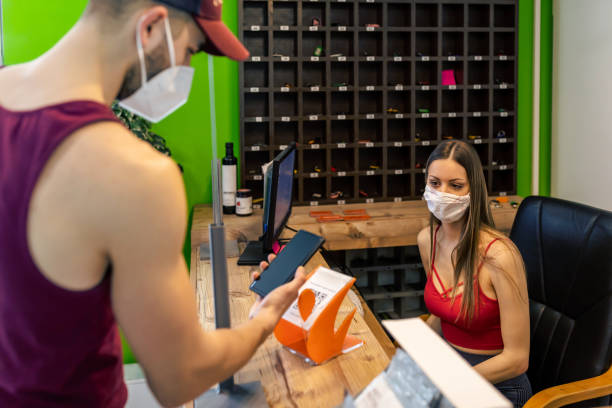
Membership entry for gyms or clubs.
Time-limited access for deliveries or contractors.
Timed museum entry slots.
Hotel key alternatives.
In each case, NFC can reduce the need for physical keys and paper tickets while improving auditability and safety.
NFC in public transport: speed, fairness, and urban flow
When people search for nfc in public transport, they’re often thinking of commuting. But from a city perspective, contactless travel is about something bigger: flow. Every second saved at a gate or onboard validator becomes minutes saved across thousands of riders.
Public transport systems use NFC because it supports a clear behavior: tap-in and tap-out, or tap to validate. The faster the validation, the smoother the station becomes.
What makes NFC transit different from other NFC applications
Transit systems must handle:
High frequency usage and peak hour congestion.
Quick taps with minimal “dwell time.”
Visitors who don’t understand the system.
Offline operation in tunnels or stations with weak connectivity.
Fare rules that need to be fair and explainable.
Because of these constraints, transport NFC is often more standardized and carefully engineered than marketing NFC.
The best transit experience is invisible
A well-designed transit NFC flow doesn’t require people to “think about NFC.” They only think about where they’re going.
That’s a useful design lesson: if your NFC experience requires a tutorial, it may be too complex. Aim for something that people can do the first time without help.
NFC in healthcare: safety, accuracy, and less paperwork
NFC in healthcare is not about novelty. It’s about reducing errors, improving traceability, and making information available at the point of care.
Healthcare environments are busy. People are tired. Mistakes can be costly. The most valuable technology in such environments is technology that lowers cognitive load and prevents “wrong patient, wrong dose” situations.
Where NFC can help in healthcare
One strong use is patient identification. An NFC wristband can connect to a patient record system so staff can confirm identity quickly.
Another use is equipment and device tracking. Hospitals manage large inventories—pumps, monitors, wheelchairs, specialist tools. NFC tags can support maintenance schedules, ownership, and location logging.
Medication safety is a third area. NFC can confirm that a medication is the correct one for the correct patient at the correct time, especially when paired with scanning and clinical workflows.
Why healthcare needs strict controls
Healthcare is sensitive. Any NFC solution in this space must be designed with privacy and compliance in mind. That generally means:
Minimal data on the tag.
Strong access control to the underlying system.
Clear logs and audit trails.
Safe defaults when connectivity fails.
Training that focuses on workflow, not technology.
In healthcare, NFC should disappear into the process. The staff should feel like the system helps them do their job, not like it adds a new step.
NFC digital business cards: the modern handshake
One of the fastest-growing consumer and small business NFC applications is the nfc digital business card. People like it because it feels modern and efficient: tap someone’s phone and your details appear instantly.
But the deeper reason these cards work is emotional. A business card exchange is a social moment. People want it to be smooth. They don’t want to fumble with spelling names, searching for profiles, or asking “how do you spell that again?”
NFC can make that moment feel effortless.
Near field communication business cards: what should happen after the tap
A good near field communication business cards experience doesn’t overwhelm the receiver. The tap result should be:
A clear identity: name, role, brand.
A preferred contact method: save contact, email, or call.
A single next action: website, booking link, portfolio, or social profile.
Optional extras for later: additional links, address, resources.
If you open a long page full of clutter, the person may close it without saving anything. Remember, the tap moment happens in a conversation. Attention is limited.
The trust problem: NFC business cards can also be abused
Because NFC launches actions, it can also be used maliciously. That’s why responsible NFC business card creators take trust seriously.
A simple safety practice is to use well-known formats like contact cards and reputable hosting. Another practice is to ensure the landing page is clear and human. If the page looks like a spam redirect, the receiver may not trust you.
For individuals and brands, the best digital business card is one that feels like you: clean, direct, and honest.
NFC tags in retail, packaging, and product experiences
Product NFC is one of the most exciting near field communication applications because it changes how physical objects “speak” to the customer.
A product can become a portal to:
Setup instructions.
Warranty registration.
Safety and compliance details.
Authenticity verification.
Recycling information.
Ingredient or sourcing transparency.
A story about how the product was made.
The key is to avoid using NFC as a gimmick. Make it genuinely helpful.
Authenticity and anti-counterfeit uses
Luxury goods, electronics, cosmetics, and supplements often face counterfeits. NFC can help by providing a way for customers to verify authenticity using a trusted flow.
However, authenticity systems must be carefully designed. If a counterfeiter can copy the tag easily, the system won’t hold. Strong systems often rely on unique identifiers, secure backend checks, and controlled issuance.
NFC in workplaces and smart buildings
Workplaces often adopt NFC for access and convenience. That can include:
Door access for employees.
Visitor badges that expire automatically.
Printer release and “follow-me” printing.
Room booking check-ins.
Secure workstation logins.
The benefit here is not only convenience. It’s also security. NFC allows organizations to manage credentials centrally, revoke access quickly, and monitor events when needed.
A design tip for access systems
Don’t build systems that require people to “fight” the reader. The tap zone should be obvious and close. The feedback should be clear. And there should be a fallback for people whose phone battery is dead.
When access is essential, redundancy is respect.
NFC for education, museums, and learning spaces
Schools, libraries, and museums can use NFC to connect physical spaces to deeper content.
Imagine a museum label that offers a tap to hear an audio story. Or a library book section that offers personalized recommendations. Or a classroom poster that links students to a safe learning resource.
These nfc applications work best when they feel like an extension of curiosity. People already want to learn. NFC should simply reduce friction.
NFC in hospitality: hotels, events, and guest experiences
Hotels and resorts are full of small interactions: check-in, room access, amenities, payments, reservations, and customer support.
NFC can support:
Room key alternatives.
Tap-to-call concierge.
Tap-to-open directions.
Tap-to-join Wi‑Fi.
Tap-to-read menus or order guides.
When implemented thoughtfully, this can reduce stress for guests, especially in international travel where language and unfamiliar systems add friction.
NFC for device pairing and setup
Although Bluetooth is the main protocol for ongoing connections, NFC can simplify the beginning of a connection.
A tap can pair a device or open a setup screen with the right settings already loaded. This is a small improvement that feels big, because setup frustration is one of the quickest ways to make a customer dislike a product.
In technology, reducing setup time often improves satisfaction more than adding features.
NFC for safety, emergency info, and personal preparedness
Some people use NFC tags for personal safety: medical ID bracelets, emergency contact cards, or home tags that guide emergency responders to critical information.
Because these scenarios can be sensitive, the goal should be to share only what is necessary and to do so in a controlled way.
A strong approach is to store minimal information on the tag and link to a secure page that can show more details when appropriate.
How to choose the right NFC experience for your goal
Many people start with a tag and then ask, “What should I put on it?” A better approach is to start with a goal and then decide if NFC is the right tool.
Step one: define the moment
Where will the user be standing?
What will they be holding?
How much time do they have?
Are they calm or stressed?
Do they have connectivity?
A checkout line is different from a museum visit. A hospital ward is different from a marketing booth. Your NFC design must match the moment.
Step two: define the reward
What does the person get immediately after tapping? A good reward is:
Instant.
Clear.
Relevant.
Worth repeating.
If you can’t describe the reward in one sentence, your experience may be too complicated.
Step three: remove friction
Can the user succeed with one tap?
Is the action obvious?
Is the result readable on a phone screen?
Does the page load quickly?
Does the user feel safe?
Friction is the enemy of adoption.
Common mistakes that make NFC projects feel “spammy”
Some NFC experiences fail because they feel like a trick. Here are patterns that reduce trust:
Redirect chains that jump between multiple domains.
Popups that block content immediately.
Automatic downloads or suspicious prompts.
Pages that don’t explain who they belong to.
Overly aggressive collection of personal data.
No obvious way to go back or close.
A great NFC experience feels respectful. It should feel like a helpful signpost, not a trap door.
A realistic view of NFC limitations
NFC is powerful, but it isn’t magic. Understanding limitations helps you build better solutions.
Range and positioning matter
NFC is meant for close range. Users must tap the right place. Different phones have different antenna positions, which is why some users tap the middle and others tap the top.
Some phones and settings change behavior
Battery optimization settings, wallet configurations, and OS updates can affect NFC behavior. That’s why systems with high reliability requirements should have fallback options.
Metal and thick materials can interfere
Packaging and cases can reduce read reliability. If you’re embedding tags in products, test with real phones and real cases.
Frequently asked questions about NFC applications
Are NFC applications only for big companies?
No. Many of the best NFC applications are small and practical: a digital business card, a product setup link, a tap-to-join Wi‑Fi tag, or an information tag for a community space.
Do I need an app to use NFC?
Not necessarily. Many tags simply open a web page. Some advanced experiences work better with an app, especially when security is required. The best choice depends on your audience and your goal.
Is NFC safe?
NFC is designed for short range and intentional interactions. For secure actions like payments or access control, additional security layers are used. For simple information tags, safety is mostly about what you link to and whether the user can trust it.
What’s the difference between a QR code and NFC?
Both can connect the physical world to the digital world. QR codes are visible and work with almost any camera. NFC is invisible and can be faster and more seamless. Many real-world projects use both: QR for universal access and NFC for convenience.
Is an NFC digital business card better than a paper card?
It depends. NFC cards are convenient, modern, and easy to update. Paper cards can be charming and don’t rely on phone settings. Some people carry both: paper for tradition, NFC for speed.
Bringing it all together: choosing the best near field communication applications for your users
The most successful near field communication applications share a simple trait: they serve the user first. They don’t force a complicated workflow. They don’t demand attention. They deliver value in the moment the user is already present.
If you’re exploring nfc applications for a brand, a venue, a clinic, a city, or a personal project, start with the human experience. Identify the moment of friction. Make the tap the easiest possible solution. Then refine until the interaction feels obvious and trustworthy.
When you do that, NFC becomes what it’s meant to be: a quiet bridge between the physical and digital worlds—one tap at a time.
Deep dive: mapping NFC applications to real-world “jobs to be done”
When people use technology, they’re rarely excited about the technology itself. They’re trying to accomplish a job. NFC becomes useful when it supports a job that is already happening in the real world.
Below are common “jobs to be done” and how NFC can support them. This section adds depth so you can choose and design NFC experiences that feel natural.
Job: “Help me confirm I’m in the right place and doing the right thing”
This job appears everywhere: at a station, at an event, in a clinic, at a store pickup counter, or in a building lobby. People want quick confirmation, not a long explanation.
NFC supports this job by delivering confirmation immediately after a tap: “You’re checked in,” “Your ticket is valid,” “This is the right entrance,” “You’re connected,” or “Your device is paired.”
In nfc ticketing and nfc in public transport, this job is basically the entire experience. If confirmation is slow or ambiguous, the system feels unreliable even if it’s technically correct.
Job: “Help me get started without reading a manual”
Setups are where good products become great and where frustrating products get returned. NFC can turn a complicated first-time setup into a guided flow.
A tap can open a device-specific setup page, launch a pairing screen, or show a short checklist that fits on a phone screen. Even a simple “tap for the right instructions” can reduce support tickets.
This is one of the most overlooked uses of near field communication because it’s not flashy. It just removes friction.
Job: “Help me trust this object”
In a world of counterfeits and confusing claims, trust is a customer need. When NFC is used to support authenticity or traceability, it can turn a skeptical buyer into a confident buyer.
But trust-based near field communication applications must be carefully designed. The user should understand what they’re verifying. The results should be clear. And the system should not rely on a single easily copied identifier. Strong trust systems combine a physical tag with a backend verification process and controlled issuance.
Job: “Help me share my details in a socially smooth way”
This is the heart of the nfc digital business card. Sharing contact info shouldn’t feel like work. NFC can make the exchange feel effortless, and that matters in networking settings where social comfort affects outcomes.
The best near field communication business cards experiences are optimized for the receiver. They open quickly. They offer a “save contact” action. They don’t overwhelm with too many links. They feel professional.
In other words, they respect the moment.
Job: “Help me do something quickly in a high-pressure environment”
Healthcare is the obvious example. nfc in healthcare must support speed and accuracy under pressure. But the same job appears in warehouses, in busy retail, in logistics, and in public venues.
In these settings, NFC succeeds when it reduces steps, prevents errors, and provides immediate feedback. A tap that replaces typing a serial number isn’t just faster—it’s safer.
Job: “Help me move through a space”
This is a classic transport job. Riders are trying to move through gates and vehicles smoothly. In nfc in public transport, the system must be fast enough to match human walking speed, and robust enough to handle crowds.
Design-wise, this means the tap zone is visible and feedback is instant. Operationally, it means the system can handle peak load without unpredictable delays.
Job: “Help me learn more without making me work for it”
Museums, education, and retail all share this job. People are curious, but they don’t want to type a URL or search for the right page. NFC can hand them the exact content they need in the moment, which can dramatically increase engagement.
This is where nfc in marketing can be honest and helpful. Instead of trying to force a conversion, a brand can offer useful content that builds trust. Over time, trust converts better than pressure.
Designing NFC content people actually read
If your NFC experience ends with a web page, then the web page matters. A “tap” is an invitation. If the page is cluttered or confusing, users will associate that frustration with the tap itself.
Keep the first screen simple
The first screen should answer: “Where am I?” and “What can I do here?” A clear headline and a short paragraph can outperform a complex hero section.
If you have multiple actions, choose one primary action. Secondary actions can appear lower on the page.
Use plain language before you use brand language
Brand language is often vague. Users need clarity. “Tap to verify authenticity” is clearer than “Experience the future of confidence.” Once users understand what’s happening, brand tone can appear naturally.
Prioritize mobile readability
NFC interactions happen on phones. That means short paragraphs, comfortable spacing, and a layout that works even on older devices. If the page feels heavy, people will close it quickly.
Give users an exit
A respectful experience makes it easy to leave. If users feel trapped, trust drops. A clear “close,” “back,” or “learn later” path is not a loss. It’s a trust gain.
A short guide to explaining NFC to non-technical people
If you’re deploying NFC in a workplace, a venue, or a campaign, you’ll need to explain it. Here’s an approach that works:
“NFC is a tap. It works only when you bring your phone very close. It’s like the contactless tap you use for payments. Tap here and you’ll get the information or action you need.”
Notice the pattern: define the action, define the range, connect to a familiar example, and state the result.
This is also a good structure for signage and instructions in nfc applications where first-time users might feel unsure.
Keyword coverage in a natural way
This page intentionally uses the phrases people search for—such as nfc applications, near field communication applications, uses of near field communication, nfc in marketing, nfc ticketing, nfc in healthcare, nfc in public transport, nfc digital business card, and near field communication business cards—but keeps them embedded in context so the article reads like a human guide, not a keyword list.