NFC Guides: Definition, Examples, Pros & Cons, and How Near Field Communication Works
NFC shows up in everyday life so quietly that many people use it for years without learning the name. You tap a phone to pay for coffee, scan a tag on a poster to open a website, or touch a badge to a reader to enter a building—and it “just works.” This guide is here to remove the mystery. It’s written for regular users who want clarity, and for builders who want a solid mental model before they design products around NFC.
If you’ve ever searched for an nfc definition or typed “near field communication explained” because you wanted a simple description, you’re in the right place. We’ll go step by step: what NFC is, how it differs from other wireless technologies, when it’s a great choice, when it’s not, and how to think about real-world use cases. Along the way we’ll cover near field communication advantages, near field communication disadvantages, advantages of near field communication in everyday terms, the types of near field communication, practical near field communication examples, and a clear near field communication diagram you can visualize even without engineering tools.
NFC definition: what does NFC actually mean?
An easy nfc definition is: NFC (Near Field Communication) is a short‑range wireless technology that lets two devices exchange small amounts of data when they are very close—usually within a few centimeters. It’s often used for “tap to do something” experiences because the short range encourages intent: you have to move the device close on purpose.
NFC is related to RFID (Radio‑Frequency Identification), but it’s designed with consumer devices in mind—especially phones. NFC typically supports faster, more interactive exchanges than many simple RFID systems, and it’s standardized so different devices can interoperate in predictable ways.
At a high level, NFC can do three kinds of things:
- A phone reads information from a tag (a sticker, card, or embedded chip).
- A phone behaves like a card that a reader can recognize (like contactless payments or access passes).
- Two devices talk to each other directly at close range (often to set up pairing or exchange a small payload).
Those “three kinds of things” are the foundation of the rest of this guide.
Near field communication explained: why “near field” matters
When people ask for near field communication explained, they usually want to understand what makes NFC different from Bluetooth or Wi‑Fi. The key is in the phrase near field.
“Near field” refers to the region close to an antenna where electromagnetic interactions behave differently than they do farther away. In practical product terms, it means NFC is deliberately designed for very short distances, making it great for deliberate gestures (a tap) and less suited for “always connected” communication.
This short distance creates a natural user experience:
- If you tapped, you meant to tap.
- If you didn’t tap, nothing should happen.
- The “tap moment” can be a physical confirmation.
That doesn’t automatically make NFC “secure,” but it does change the nature of the risk and the way you design interactions. Most NFC experiences are not about moving large files. They’re about starting an action, passing a token, or sharing a small piece of information quickly.
How NFC works in plain language
To keep near field communication explained in human terms, think of NFC as a brief handshake between two antennas:
- One side creates a field (often the reader or the phone in “reader mode”).
- The other side responds (a tag or another device).
- They exchange a small set of messages following standardized rules.
- The connection ends quickly after the tap.
In many cases, an NFC tag is passive, meaning it doesn’t have a battery. It gets powered for a moment by the field created by the reader. That is one reason tags can be cheap and long‑lasting.
Your phone can play different roles depending on the mode:
- Reader/Writer mode: your phone reads data from a tag, or writes data to a writable tag.
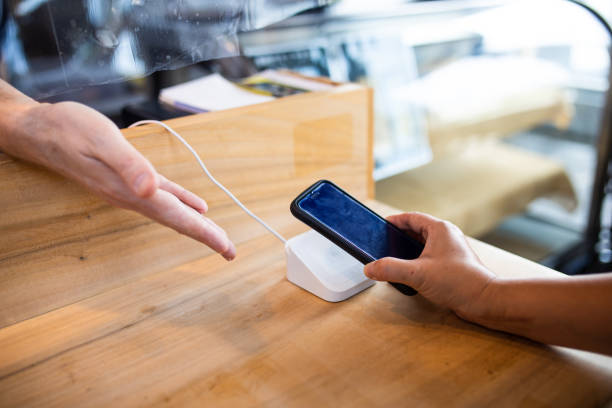
- Card emulation mode: your phone behaves like a contactless card for a payment terminal or access reader.
- Peer‑to‑peer mode (less common in modern consumer flows): two devices exchange data or establish a relationship.
The details can be technical, but you don’t need the deepest physics to use NFC wisely. You just need to understand the “tap handshake” concept and what kinds of information are typically exchanged.
Types of near field communication: the modes you’ll actually see
When people look for the types of near field communication, they’re often encountering different behaviors: sometimes tapping opens a webpage, sometimes tapping pays, sometimes it pairs a device. Those differences come from modes and from the role each device plays.
Reader/Writer: tap a tag, get information
In Reader/Writer mode, your phone reads a tag and then performs an action based on the data. The tag might store:
- A URL that opens a web page.
- A small text message.
- Contact information (like a digital business card link).
- Configuration details (like Wi‑Fi network details).
- A unique identifier that an app uses to fetch richer content.
This mode is common for marketing, product packaging, museums, smart posters, and quick “tap to open” experiences. It’s also where user trust matters: the phone is responding to content from the environment.
Card emulation: tap for payments or access
In card emulation mode, the phone behaves like a contactless card. For payment, the ecosystem uses strong security layers such as tokenization and cryptographic authentication. For access control, systems vary—some are extremely secure, and some are basic.
The important concept is that the phone isn’t “reading a tag” here; it’s presenting a credential to a reader.
Device-to-device: a tap as a pairing shortcut
Some systems use NFC as a first step. For example, tapping a phone to a speaker or camera might initiate a Bluetooth pairing process. The NFC tap carries just enough information to make pairing smoother and reduce mistakes.
This is a good illustration of NFC’s role: NFC isn’t always the long‑term connection. Sometimes it’s the fast, intentional kickoff.
So, when you think about types of near field communication, don’t only think “different devices.” Think “different roles,” “different expectations,” and “different risks.”
Near field communication examples: where NFC fits naturally
Let’s make it practical with near field communication examples that cover both consumer life and business systems.
Contactless payments
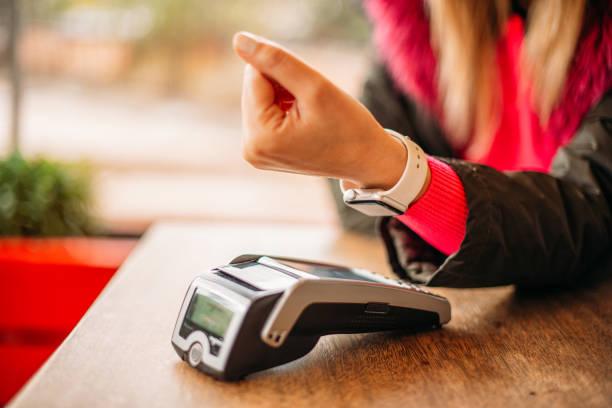
This is the most visible use case: you tap your phone or card at a payment terminal. NFC carries the transaction messages, while the payment network handles authorization and fraud detection. The tap is quick, and it can be combined with device unlock or biometrics.
Public transport ticketing and passes
Many transit systems support tap‑to‑ride using NFC cards or phone wallets. The goal is speed and reliability. The system must handle high volumes and occasional connectivity issues, so it often uses secure offline validation methods plus periodic online reconciliation.
Access control and identity badges
Offices, gyms, events, and hotels may use NFC credentials. The security level varies widely. High‑security facilities use strong cryptographic credentials. Simpler systems use identifiers that can be copied more easily. Knowing the difference is important when designing access systems.
Product authentication and brand experiences
Some brands embed NFC tags in products so customers can tap and confirm authenticity or unlock product registration. In the best systems, the tag provides an ID that the backend validates, and the experience delivers helpful content rather than just a generic web page.
Smart posters, menus, and marketing
A poster can include a tag that opens a campaign page. Restaurants can place NFC tags on tables so people can open menus instantly. These are “friction‑removal” use cases: NFC replaces typing and searching.
Digital business cards
NFC cards are popular for networking. A tap can open a profile page, a vCard download, or a personal site. The tag usually stores a URL or a short identifier.
Device setup and pairing
NFC can help connect devices with minimal steps. You tap to transfer a pairing key or connection details, then the devices connect using another channel.
These near field communication examples share a theme: NFC is best when it saves time in a deliberate moment and when you don’t need to transfer huge files.
Near field communication advantages: why NFC is used so often
People search for near field communication advantages because NFC feels convenient—but they want the “why.” Here are the real reasons NFC is chosen.
Advantage: speed with intent
A tap is faster than searching, typing, or scanning for devices. The short range makes the action feel intentional. That’s a major advantages of near field communication: it turns a complex task into a simple gesture.
Advantage: simple user experience
Many NFC interactions can be explained as “tap here.” That’s valuable in crowded contexts—events, public transit, checkout lines—where users don’t want complicated instructions.
Advantage: works without precise alignment
Compared with scanning a QR code, NFC can feel more forgiving. You don’t need good lighting, you don’t need a camera, and the user doesn’t need to hold the phone steady at a certain angle. For some users, that accessibility matters.
Advantage: passive tags are cheap and durable
Because many tags are passive (no battery), they can be embedded in products and remain usable for long periods. That makes NFC attractive for packaging, signage, and long‑term installations.
Advantage: can support secure credentials (when designed correctly)
NFC can be the transport layer for very secure systems, especially in payment ecosystems and modern access credentials. The security comes from cryptography and system design, not just from the short range, but NFC supports the architecture.
Advantage: flexible data formats
NFC tags can store different kinds of records (commonly NDEF records), like URLs, text, or small structured payloads. That flexibility makes NFC useful across industries.
If you’re summarizing near field communication advantages, you can say: NFC makes deliberate, short interactions fast and user-friendly, and it can support strong security when the overall system is designed well.
Near field communication disadvantages: where NFC can be the wrong choice
It’s equally important to talk about near field communication disadvantages so you don’t apply NFC where it doesn’t fit.
Disadvantage: very short range is sometimes a limitation
The same “near” that creates intent also limits convenience in some contexts. If you want a device to connect automatically across a room, NFC is not the right tool. Bluetooth or Wi‑Fi are better for that.
Disadvantage: not ideal for large data transfer
NFC is not meant for moving big files or streaming. It can transfer small payloads quickly, but it’s not a replacement for high‑bandwidth connections.
Disadvantage: real-world compatibility differences
Most modern phones support NFC, but behavior can vary by device, operating system version, and settings. Some users disable NFC, some devices have it off by default, and some interactions require a specific app. These details affect adoption.
Disadvantage: physical tags can be tampered with in public
If you place tags in public spaces, someone can potentially cover or replace them with another tag that points to a malicious destination. This is one of the most realistic near field communication disadvantages for open environments. Good deployment includes tamper resistance, clear branding, and safe landing pages.
Disadvantage: user confusion when the UI is unclear
If tapping a tag triggers an unexpected behavior, users may lose trust quickly. The UX must show what’s happening and why. A confusing tap experience can feel like a security risk even when it’s not.
Disadvantage: privacy concerns if identifiers are misused
If a tag contains a static unique identifier that can be read by any phone, it can be used for tracking in some contexts. Privacy‑aware design avoids putting personal data on tags and avoids long‑lived identifiers when possible.
If you’re searching for near field communication disadvantages because you’re deciding whether to use NFC, the takeaway is: NFC is amazing for intentional short interactions, but it’s not a universal wireless solution and it requires thoughtful deployment in public environments.
Advantages of near field communication vs. other “quick access” tools
People often compare NFC with QR codes, Bluetooth, and RFID. Here’s an honest, human comparison to clarify the advantages of near field communication.
NFC vs QR codes
QR codes are visible, printable, and extremely cheap. NFC tags are invisible inside a sticker or card but cost more than ink.
NFC often feels smoother than QR codes because it doesn’t require opening a camera, focusing, or dealing with glare. QR codes can be more universal because every phone has a camera, and you can see if a code has been changed (sometimes). NFC can be tampered with more subtly because you can’t visually inspect the data on a tag just by looking at it.
A balanced approach in public deployments is to offer both: NFC for speed, QR code for compatibility and visibility.
NFC vs Bluetooth pairing
Bluetooth can connect at longer range and carry more data over time, but pairing can be confusing. NFC can act as a pairing “shortcut,” reducing mistakes and friction. That’s one of the best advantages of near field communication: it can make other technologies easier to use.
NFC vs standard RFID
RFID is a broad family. Many RFID systems are designed for inventory tracking and longer reading distances. NFC is designed for close interactions and consumer devices. NFC’s strength is interoperability with phones and standardized behaviors like NDEF records.
So, NFC isn’t “better” than the alternatives. It’s better for certain user experiences.
Near field communication diagram: visualize the tap interaction
People sometimes search for a near field communication diagram because a picture clarifies what’s happening during a tap. Below is a simple text diagram to help you visualize the flow. It’s not an engineering schematic; it’s a conceptual map.
Conceptual near field communication diagram (tap to read a tag)
Phone (Reader Mode) NFC Tag (Passive)
------------------- -----------------
[ NFC Antenna ] ~~~ magnetic field ~~~ [ Tag Coil ]
| |
| 1) Energize field |
|------------------------------------->|
| |
| 2) Tag powers up, sends data |
|<-------------------------------------|
| |
| 3) Phone interprets NDEF record |
| (e.g., URL / text / ID) |
| |
| 4) Action happens |
| (open page / launch app) |
The “~~~ magnetic field ~~~” is your short-range interaction. The tag gets just enough power to respond with its data. The phone then decides what to do.
Conceptual near field communication diagram (tap to pay)
Phone (Card Emulation) Payment Terminal (Reader)
--------------------- -------------------------
[ Secure Credential ] <-----> [ NFC Reader Antenna ]
| |
| Exchange protected messages |
| and transaction data |
| |
| Terminal sends for auth |
| through payment network |
Notice the difference: in “tap to pay,” the phone acts like a credential. The terminal is the reader. The security is handled by protected protocols and the surrounding payment ecosystem.
If you needed a near field communication diagram to make NFC feel more concrete, this is the core idea: NFC is a short, structured exchange between antennas that leads to an action.
Types of near field communication in the real world: tags, cards, and phones
When people read about the types of near field communication, they sometimes assume there are dozens of “types.” In everyday practice, you mostly see differences in the physical form and the expected behavior:
NFC tags (stickers, embedded chips, keychains)
These are typically used to store a small payload: a URL, a text record, or an identifier. They’re common in marketing, product packaging, and automation.
NFC cards (plastic cards, badges)
These can be simple tags or more secure smart cards depending on technology. They’re common for access control and identification.
NFC in phones (multi-mode devices)
Phones can read tags, emulate cards, and sometimes talk peer-to-peer. Phones are powerful because they can combine NFC with apps, secure storage, biometrics, and network connectivity.
So the “types” are often less about the radio and more about the device’s job in the interaction.
NFC in daily life: small tips that make NFC more useful
Even if you’re not building products, NFC can improve everyday routines. Here are ways people use NFC that feel “human” rather than technical:
Some users place NFC tags near their desk to switch the phone into focus mode. Others put tags near the door that open a shopping list. Some set up a tag in the car that starts navigation or music. These uses depend on the phone’s automation features and the tag’s ability to trigger a shortcut.
The practical takeaway is that NFC can be a personal tool, not just an enterprise system.
Choosing NFC for a project: a quick decision framework
If you’re deciding whether NFC belongs in your product, ask these questions:
Do you want a deliberate “tap moment” that confirms user intent? NFC is great for that.
Do you need long-range discovery or continuous communication? NFC probably isn’t the right choice.
Is your experience public, where tags can be tampered with? You’ll need a deployment plan and safe landing pages.
Does the NFC action have real consequences—like granting access, spending money, or changing account settings? Then you need strong validation and security design, not just a tag with an ID.
This framework keeps NFC projects realistic and user-friendly.
Common misunderstandings about NFC (and clearer ways to think)
“NFC is the same as Bluetooth”
They’re both wireless, but NFC is designed for quick, close interactions. Bluetooth is designed for longer connections.
“NFC is only for payments”
Payments are popular, but NFC is also for tags, access, pairing, and product experiences.
“Tags can steal my phone data”
A passive tag typically only provides data; it doesn’t “pull” arbitrary private data. The risk is often indirect: it can lead you to a malicious web page or prompt actions you shouldn’t take.
These clarifications reduce fear and help people use NFC responsibly.
Bringing it back to the core questions
If you arrived here searching for an nfc definition, you now have a simple one: NFC is short-range wireless communication designed for tap-based interactions.
If you wanted near field communication explained, you now have the core mental model: a brief handshake at very close range that triggers an action.
If you wanted near field communication advantages and advantages of near field communication, you can summarize them as speed, intent, usability, and flexibility.
If you wanted near field communication disadvantages, you know the tradeoffs: short range limits some scenarios, public deployments can be tampered with, and compatibility + UX details matter.
If you were curious about the types of near field communication, you’ve seen the practical modes: reading tags, emulating cards, and device-to-device tap flows.
If you wanted near field communication examples, you now have a set spanning payments, tickets, access, marketing, and device pairing.
And if you wanted a near field communication diagram, you’ve seen a clear conceptual map of what happens during a tap.
NFC is one of those technologies that feels small in the moment—just a tap—but can enable big improvements in usability when it’s designed with clarity and trust in mind. That’s why it continues to spread across industries and everyday routines.
Next steps
If you’re continuing to learn, a helpful next step is to explore NFC security concepts (like tag tampering and safe UX), NFC tags and card types (memory sizes and writable vs locked tags), and how NFC works on different phone platforms. Those topics build on this guide and help you move from “I understand NFC” to “I can use NFC confidently.”