NFC Technology: How Near Field Communication Works, From Standards to Antennas
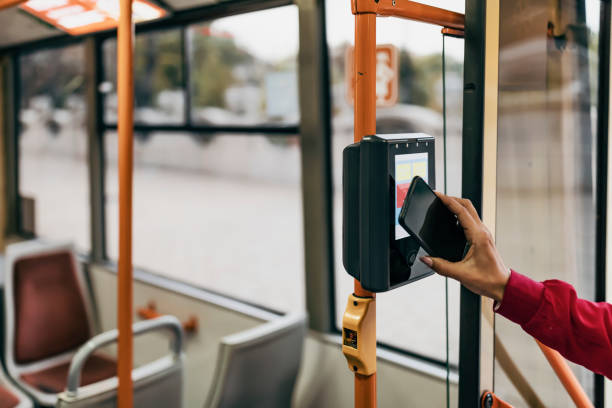
NFC is one of those technologies people use daily without thinking about it. A quick tap to pay, a tap to enter a subway gate, a tap to share contact details—and you move on with your day. Under the hood, though, near field communication technology is a carefully engineered mix of radio physics, interoperability rules, and user-experience design that aims to make a secure interaction feel effortless.
This page explains NFC at the “how it actually works” level, in plain language. We’ll cover the core ideas behind the NFC communication protocol, what the most common NFC standards are and why they exist, how the near field communication standard ecosystem is organized, what NFC frequency NFC uses and why, how near field communication range works in real life, what an NFC antenna is doing during a tap, what “NFC data transfer” really means, and how NFC peer to peer communication differs from tag reading or payments.
If you’re a curious user, this will help you understand what your phone is doing. If you’re building something with NFC—tags, cards, readers, apps, access systems, product packaging—this will give you a practical mental model so you can design for reliability and trust.
A simple definition that goes deeper than “tap”
At a high level, near field communication is a short-range wireless system that allows devices to exchange small amounts of data when they are very close. But that “very close” part is the key. NFC doesn’t work like Wi‑Fi or Bluetooth, where distance is normal and the device tries to stay connected. NFC is designed for intentional, proximity-based interactions.
In NFC, the user’s action is part of the security model. The physical movement of bringing two devices close is a form of consent. It says, “Yes, I want these things to interact right now.” That’s why NFC is popular in payments and access control. The technology supports a human gesture that feels natural.
The physics of NFC: the “near field” is not a marketing term
To understand NFC, it helps to understand what “near field” means. Radio waves have regions around an antenna. Far away, you get the “far field,” where energy propagates through space as a wave. Close to an antenna, you get the “near field,” where the behavior is dominated by the electromagnetic field around the coil.
NFC uses magnetic induction, similar to how a transformer works, but with an air gap. One coil generates a magnetic field. A nearby coil couples to it. That coupling is strong only at short distances. This is why the near field communication range is typically a few centimeters. This short range is not a limitation to be “fixed”—it’s a feature. It makes the interaction deliberate, predictable, and usually more resistant to casual eavesdropping than longer-range systems.
NFC frequency: why 13.56 MHz matters
When people search for NFC frequency, they’re usually asking “what frequency does NFC use?” The common answer is 13.56 MHz, which is in the high-frequency (HF) band. That specific frequency is widely used for contactless systems because it offers a practical balance:
- It supports inductive coupling with small antennas.
- It has a mature standards and ecosystem.
- It works reasonably well around humans and everyday objects.
- It enables relatively fast data exchange for short interactions.
The frequency also aligns NFC closely with the contactless smart card world, which is important because NFC didn’t appear from nowhere—it evolved from earlier proximity card systems and RFID approaches in the HF band.
How NFC “modes” shape real products
Most NFC use cases fit into three modes. Understanding these modes makes it easier to reason about what your NFC system is doing.
Reader/Writer mode
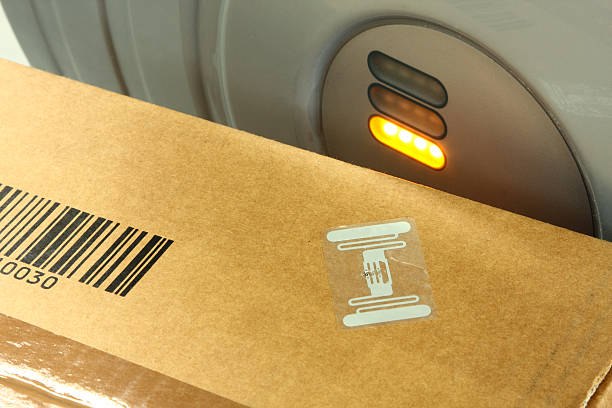
In this mode, a phone or reader device acts as a reader and interacts with an NFC tag. This is the classic “tap a poster” or “tap a sticker” experience. The tag is usually passive and powered by the reader’s field.
Card Emulation mode
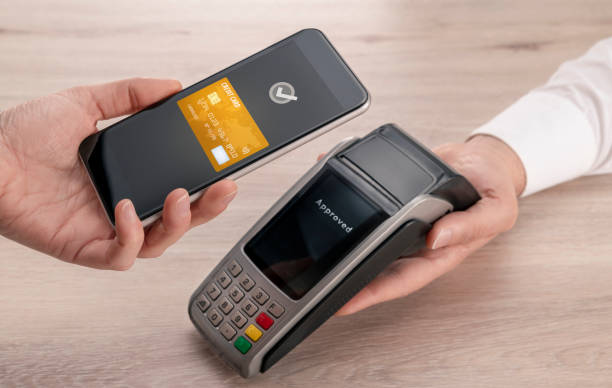
In this mode, the phone behaves like a contactless card. This is what happens for many mobile payment systems and some access passes. The “card” can be stored in a secure element, in a device-protected environment, or managed through a system wallet, depending on the platform and security model.
Peer-to-Peer mode
This is when two active NFC devices talk to each other. People often call this NFC peer to peer communication. It can support quick data exchange or act as a handshake to bootstrap another connection. The “tap” can be the beginning of a Bluetooth or Wi‑Fi pairing process, reducing setup friction.
These modes are not just technical details. They change everything about the user experience, the security expectations, and the type of hardware you need.
NFC communication protocol: what the word “protocol” means here
A protocol is simply an agreed way to communicate: how devices identify themselves, how they start a conversation, how they format data, how they avoid collisions, and how they handle errors. The phrase NFC communication protocol is often used loosely, because NFC isn’t a single protocol—it’s a family of layered standards.
You can think of NFC communication like a stack:
- The physical layer: the radio field, modulation, and basic timing.
- The link layer: how devices take turns speaking and avoid interference.
- The application/data layer: how the actual payload is structured (like a URL, a contact card, or a ticket).
This layered approach is what enables interoperability. A tag made by one manufacturer can be read by a phone from another manufacturer because they agree on how to speak at multiple levels.
NFC standards: why there are so many
When someone asks about NFC standards, they’re often frustrated by the alphabet soup. ISO/IEC numbers, forum specifications, “Type 2” vs “Type 4,” and more. The reason there are multiple standards is that NFC sits at the intersection of different industries:
- Smart cards and secure identity
- Consumer electronics
- Transportation and ticketing
- Retail and payments
- Marketing and product packaging
Each industry has different needs. Some need strict security. Some need low cost. Some need large deployments with long lifecycles. Standards exist so all these systems can interoperate and evolve.
A helpful way to simplify it is to group standards by function:
- Standards that define how the radio interface works.
- Standards that define how tags and cards behave.
- Standards that define how data is stored and shared.
- Standards that define higher-level use cases like peer-to-peer messaging.
The “near field communication standard” landscape in practice
People sometimes search for “near field communication standard” as if there is one official document. In reality, the ecosystem includes both international standards bodies and industry consortia.
International standards (like those produced by ISO/IEC) define key parts of the radio and card behavior. Meanwhile, the NFC Forum produces specifications that ensure NFC devices and tags work consistently for consumer experiences.
If you’re building something and you want “it to work everywhere,” the NFC Forum’s role matters because it focuses on real-world interoperability and certification, not just theoretical compliance.
NFC tag types: why “Type 2” and “Type 4” exist
Many NFC deployments use tags. A tag is a small chip connected to an antenna, often embedded in a sticker, card, or product.
Tag “types” are a way of classifying behavior and capabilities. The details can be technical, but the practical takeaway is:
- Some tag types are simple and low-cost.
- Some support larger memory and stronger security features.
- Some behave more like smart cards and support advanced commands.
For example, simple use cases like opening a URL can work with basic tags. More complex use cases, like secure authentication or higher data capacity, may require more advanced tag types.
Even if you never choose a tag type yourself, it’s useful to know why some tags are more reliable or more expensive than others.
NFC data transfer: what gets transferred during a tap
“NFC” can mean many things, so the phrase NFC data transfer needs context. Often, the NFC payload is small—sometimes just a few bytes that tell the phone what to do next. This is enough because NFC is frequently used to start an experience, not to carry the whole experience.
A common example is a URL. The tag stores a URL and the phone opens it. The heavy content loads over the internet after the tap.
Other common payloads include:
- A contact card (like a vCard) for business cards.
- A Wi‑Fi configuration record to join a network.
- A deep link into an app.
- A token or identifier that a backend system uses to fetch details securely.
- A “launch” instruction for a kiosk or device pairing flow.
In secure systems, the tag often stores as little as possible. The NFC interaction hands off an identifier, and the system fetches the real data from a trusted backend. That reduces the risk of exposing sensitive information on the tag itself.
How fast is NFC, and does speed matter?
NFC is not designed for bulk data. It is designed for fast, short exchanges. Typical NFC interactions can complete in a fraction of a second when the environment is good and the system is designed well.
Speed matters because NFC is a “moment” technology. People do not want to hold their phone in place for long. They want one tap and confirmation.
If you’re building an NFC experience, your goal should be “one-tap success,” not “maximum throughput.” Faster and more predictable handshakes usually create better user trust.
Near field communication range: why “a few centimeters” can vary a lot
In product descriptions, NFC range is often stated as a few centimeters, sometimes “up to” around 10 cm depending on the devices and tags. But in real life, near field communication range depends on many factors:
- Antenna size and tuning in the phone or reader
- Antenna size and tuning in the tag
- Materials nearby (metal, water, thick plastics)
- Phone cases, wallets, and accessories
- Tag placement and orientation
- Reader power and sensitivity
This is why an NFC experience that works perfectly in a lab can feel inconsistent in the wild. Real users have cases, crowded environments, and different phone models.
A good NFC system is designed to be forgiving. It uses clear signage or physical cues to guide the user. It uses fast confirmation. And it is tested across a variety of real devices.
NFC antenna: the quiet hero of reliability
When people search for NFC antenna, they might picture a tiny component, but the antenna (usually a coil) is central to NFC performance. NFC antennas are designed for inductive coupling at 13.56 MHz.
In a phone, the NFC antenna is placed in a location that balances design constraints with usability. In many devices, it’s near the top or around the camera area, which is why “tap placement” varies between phones.
In a tag, the antenna is often a printed or etched coil connected to the chip. The coil’s size, shape, and tuning affect range and reliability.
Why metal is complicated
Metal can detune the antenna and distort the magnetic field. This is why tags placed on metal surfaces may need special “on-metal” designs that include shielding, often using ferrite layers. If you are embedding tags in products, you must test in the final materials—not just in air.
Why cases can reduce reliability
Thick cases and wallet cases can increase distance and shift alignment. Even a small change can matter because NFC is near-field coupling. Good designs assume that many users will have a case.
NFC in the real world: reliability is a user experience problem
If NFC sometimes feels “finicky,” it’s rarely because the technology is broken. It’s usually because the overall system is not designed around real behavior.
People will tap quickly. They will tap at an angle. They will tap in a hurry. They won’t read instructions. They will have multiple cards in a wallet case. They might have a phone battery that is nearly empty. They might not know whether NFC is enabled.
A reliable NFC experience anticipates this and reduces ambiguity:
- Make the tap target obvious.
- Provide immediate feedback (sound, vibration, on-screen message).
- Avoid multi-step flows during the tap.
- Offer a fallback (QR code, manual entry) for the small percentage of users who struggle.
This is why NFC design is partly about psychology, not only about the radio.
NFC peer to peer communication: what it is and when it’s useful
NFC peer to peer communication is the mode where two active devices exchange data. In theory, it can support direct transfer of information—like sharing a small file or a link.
In practice, peer-to-peer NFC is most valuable as a “bootstrap” step: it can initiate a secure pairing or handoff to another protocol that is better for ongoing communication, like Bluetooth or Wi‑Fi. The tap becomes the consent moment, and then the higher-bandwidth protocol takes over.
This pattern is common in device pairing scenarios:
- Tap phone to speaker to start Bluetooth pairing.
- Tap phone to camera to open a setup app.
- Tap phone to a kiosk to launch a service flow.
The benefit is reduced friction. Instead of navigating menus, the user taps, and the right thing happens.
Standards-based data formats: why NFC can open the right content
Many tag-based NFC experiences rely on standardized data formats so phones know what to do. The most common category is “records” that describe a payload like a URL, text, contact, or app link.
Standardization matters because it prevents weird behavior. If one tag writes a URL in a strange format, phones might not open it. If a business card tag uses a standard contact format, saving the contact becomes easier and more reliable.
From the user’s point of view, standards are invisible. From the developer’s point of view, standards are the reason NFC feels seamless.
NFC security: short range helps, but it’s not the whole story
NFC’s short range is a security advantage. It makes it harder to interact without physical proximity. But it doesn’t guarantee security by itself.
Security depends on the use case:
For simple informational tags
If a tag opens a public web page, the main security risk is phishing or misleading redirects. The safest approach is to ensure your landing pages are clear, trustworthy, and not packed with suspicious behavior. Users decide whether to trust the result.
For payments and access control
These systems rely on cryptography, secure storage, tokenization, and risk management. The NFC tap is only the start. Real security comes from how credentials are stored and how transactions are validated.
For enterprise deployments
Access badges, staff IDs, and workflow tags should be designed to avoid storing sensitive data directly on tags. Use identifiers and backend access control, and implement auditing.
A responsible NFC project assumes that if something can be abused, someone will try. Good security design doesn’t make the user’s life harder—it makes the system harder to attack while staying simple.
Designing NFC tags and experiences: practical advice that prevents headaches
This section is for anyone building a real NFC deployment. These lessons come up again and again.
Start by defining the “tap moment”
Where will the user be standing? Are they rushing? Are they outdoors? Is it crowded? Will their hands be full? The environment determines what will work.
Decide what the tap should do in one sentence
If you can’t describe the action clearly, the experience is probably too complex. “Tap to verify,” “tap to register,” “tap to view instructions,” “tap to enter,” “tap to share contact.”
Keep the payload minimal
Small payloads are faster and more reliable. If you need rich content, use the tap to launch the right page or app.
Test on real phones, not just one device
Different phones have different antenna placement and sensitivity. If you want broad reliability, test broadly.
Provide a fallback
A QR code next to the NFC area can help people whose phones don’t support NFC or who have it disabled. Fallback doesn’t weaken NFC—it increases adoption and reduces frustration.
What makes some NFC tags “feel faster” than others
People sometimes believe NFC is randomly fast or slow. Often the difference is the tag and the system design:
- Some tags respond quickly and consistently.
- Some have larger memory or additional features that can slow initial reads.
- Some are detuned by their environment and require the phone to adjust.
- Some are placed behind thick material, increasing difficulty.
In high-traffic scenarios (like transit or events), systems are engineered for speed. In marketing, many deployments are casual and not tested well. That’s why user perception can vary.
The solution is not “use the fanciest tag.” The solution is “design and test for the environment.”
Interoperability: why NFC is often a better physical-digital bridge than alternatives
Near field communication is not the only way to connect physical objects to digital content. QR codes are popular. Bluetooth beacons exist. Visual recognition can work. But NFC has a unique combination of strengths:
- It’s fast.
- It’s intentional (requires proximity).
- It’s usually easy to explain.
- It doesn’t require a camera.
- It can support secure credential use cases.
That’s why near field communication technology remains relevant even as other technologies evolve. It fits the human action of “tap,” and that action maps well to trust.
FAQ: quick answers people ask about NFC technology
Is NFC the same as RFID?
NFC is closely related to RFID, especially HF RFID. NFC is best thought of as a subset of contactless technology optimized for short-range, user-driven interactions and consumer interoperability.
Can NFC work through a phone case?
Usually yes, but thick cases or wallet cases can reduce reliability. It depends on antenna alignment and distance.
Does NFC need internet?
The tap itself does not require internet. But many NFC experiences open a web page or call an online service, so the overall experience may depend on connectivity.
Can NFC transfer large files?
NFC is not designed for large files. It can transfer small data or start a handoff to a faster protocol.
Why do I have to tap in a specific spot?
Because the NFC antenna in your phone is located in a specific area. Different phones place it differently.
Bringing it together: building confidence in your NFC system
If you want an NFC project to succeed, don’t treat NFC like a trick. Treat it like a promise: “Tap and you will get something helpful.” That promise must be kept consistently.
To keep it, you need to understand the ingredients:
- The physics (why range is short and sensitive).
- The ecosystem (why NFC standards matter).
- The user experience (why clarity matters more than features).
- The architecture (why minimal payload and secure backend patterns work).
When you combine these, NFC stops being mysterious. It becomes a practical, trustworthy tool—a simple gesture powered by well-designed NFC communication protocol layers, a clear near field communication standard foundation, and real-world engineering that respects how people behave.
And that’s the real story of NFC technology: not just “tap to do something,” but “tap with confidence.”
A closer look at how the NFC field “powers” a passive tag
One of the most elegant parts of NFC is that many tags are passive. They have no battery. They wake up only when they are near a reader that generates a field. That field provides enough energy for the tag’s chip to operate and respond.
This is why tags can last for years. It’s also why tag performance is tied closely to the field strength and antenna tuning. If a tag is placed in a difficult environment—such as near metal or behind thick packaging—the field energy reaching the tag can drop. The result is a tap that feels “weak,” forcing the user to hold the phone closer or try multiple angles.
In practice, passive tag reliability improves when you:
Keep distance low (design the physical placement so tapping is natural).
Avoid metals or use on-metal tag designs.
Use clear instructions so users align correctly.
Choose tag sizes appropriate for the environment.
These choices are not theoretical. They are often the difference between “NFC is amazing” and “NFC never works.”
Understanding NFC data transfer without diving into equations
When a phone reads a tag, the phone’s field is modulated in a way the tag can understand, and the tag responds through a technique often described as load modulation. You don’t need the math to understand the impact: both sides must stay close and aligned long enough for the conversation to complete.
This is why the simplest and best-performing NFC experiences do not attempt to move a lot of data. A short identifier or a clean URL is usually enough. If you need more, you can load it after the tap over the internet. This is a practical pattern for fast and reliable NFC data transfer: let NFC handle the “start,” and let higher-bandwidth systems handle the “rest.”
Why NFC standards protect you from vendor lock-in
If you’re deploying NFC for a business or product, standards are your ally. Without them, you could end up in a situation where one supplier’s tags only work well with a specific reader, or where a future phone update breaks your experience.
A standards-based approach makes your system more resilient:
It increases the chance that new devices will remain compatible.
It makes it easier to source components from multiple vendors.
It reduces surprises when you scale up.
This is especially important for deployments that must last years, like access control, healthcare labeling, and transportation.
NFC peer to peer communication and the “tap-to-pair” user experience
Peer-to-peer NFC is sometimes misunderstood. People expect it to behave like AirDrop or file sharing, but NFC is better at creating a secure introduction between devices than acting as a high-speed channel.
In a pairing scenario, NFC provides a strong user benefit: it reduces choice fatigue. Instead of searching for devices in a list and guessing which one is yours, you tap the device you can physically see. The physical proximity becomes a confirmation.
That is the human value of NFC peer to peer communication. It turns a digital problem—choosing the right device—into a physical one—touch the device you’re holding.
Antenna placement: a small detail that changes everything
From the user’s perspective, tapping is simple. From a design perspective, the location of the NFC antenna is one of the most important factors in usability.
Phones vary. Some place the antenna near the top, others nearer the middle. If you’re building signage or embedding tags in objects, you can make success more likely by offering a larger tap area and giving gentle instructions like “tap the top of your phone here.”
In customer-facing environments, small design aids help:
A visible icon indicating the tap zone.
A raised surface or groove that guides placement.
A short instruction that fits in one line.
These details reduce “first time confusion,” which is the biggest enemy of adoption.
A practical checklist for NFC technology projects
If you’re building with near field communication technology, here is a grounded checklist you can use before launch:
1) Decide the NFC mode: tag reading, card emulation, or peer-to-peer.
2) Keep the tap action single-purpose and easy to describe.
3) Use a standards-friendly data format so phones behave predictably.
4) Test with multiple phone models and with common phone cases.
5) Test in the final physical environment (materials, surfaces, distances).
6) Make the tap area obvious and provide instant feedback.
7) Offer a fallback for edge cases.
This checklist isn’t glamorous, but it reflects what experienced teams do to ship NFC experiences that people trust.
Keyword coverage, naturally
This page includes key terms people use—near field communication technology, NFC communication protocol, NFC standards, near field communication standard, NFC frequency, near field communication range, NFC antenna, NFC data transfer, and NFC peer to peer communication—in a natural way that supports readability and clarity.